
Connect. Secure. Manage.
Office Network Design
Plan an office network with Cisco or Meraki switching, wireless and security, matched to staff numbers, building layout and application requirements.
Devices supported
across the UK
Client locations
supported
Traffic handled
at peak time
Average
response time
Average response is not a resolution time or a contractual guarantee. Support scope and response commitments are agreed for each engagement.
Office network design should reflect how people use the building, not just how many desks appear on a floor plan. MCI designs Cisco and Meraki office networks around staff devices, meeting spaces, business applications, guest access and the services that need to keep working when a connection fails. We help make the office ready for ordinary working days as well as opening day.
The brief may be a new location, a refurbishment or an existing office where the network has become unreliable. We examine the physical setting and the application requirements together, so a wireless improvement is not undermined by an unsuitable wired connection or an overlooked dependency on a local service.
A clear requirement
Turn the business need into a practical network scope with visible dependencies.
A controlled delivery
Plan implementation, testing and rollback before production changes begin.
A supportable result
Leave useful records, ownership and escalation routes behind.
Build the brief around people, devices and rooms
The number of employees is useful, but it is not a complete demand model. A person may use several devices, meeting rooms can create concentrated wireless demand and some equipment remains connected outside office hours. Printers, access-control systems and other connected devices may need their own access arrangements.
We establish which areas need coverage, which devices require wired ports and where applications impose particular constraints. A reception area with guest access and a room used for confidential work should not automatically inherit the same network policy.
Future changes deserve space in the design. Additional desks, a new meeting room or a revised office layout can alter cabling, power and wireless requirements. The aim is sensible headroom based on a credible plan, not an arbitrary percentage added to every equipment quantity.

Standards & partnerships
Confidence in the team behind your network.
 Cisco Partner
 Cisco Meraki
 Cyber Essentials
 Cyber Essentials Plus
MCI Network Services is operated by Proxar Ltd. Certifications apply to the certified legal entity and the scope of its certificates. View accreditation information
Treat the wired network as part of the user experience
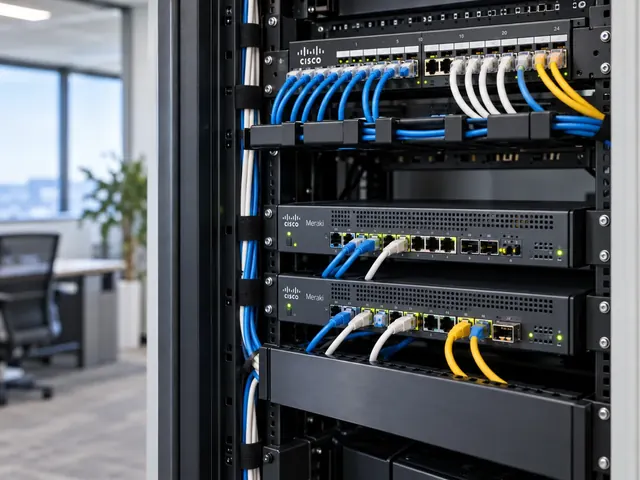
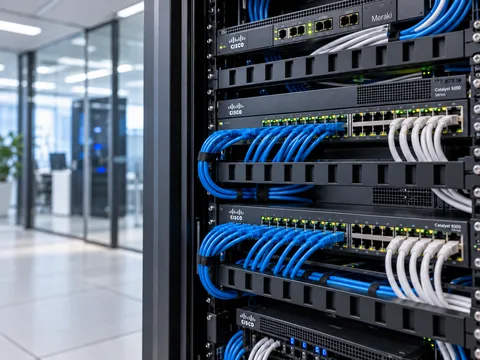
Switch locations, uplinks and power arrangements influence how the office behaves. We consider cabinet space, patching, cable routes and the power needed by connected equipment. A device that supports a particular port speed still needs a suitable connection and an appropriate upstream path.
The design also identifies how staff devices, shared services and other equipment are separated. VLANs and access policies should reflect a clear requirement rather than becoming a collection of historical names with uncertain purpose.
Where the building has existing infrastructure, cabling and optics validation can establish what can be reused. We distinguish an assumption about a cable route from evidence that the installed link can support the intended service.
A useful starting point
Not sure where to start?
Bring the requirement. We will help you define the engineering work.
Plan wireless for the actual building
Wireless design needs more than placing an access point in the centre of each floor. Walls, room use, neighbouring networks and the client devices themselves can affect the result. We identify where predictive planning needs to be followed by a site survey or post-installation validation.
For Cisco and Meraki wireless, the management and authentication approach must fit the organisation. Staff access, guest access and devices that cannot use the preferred authentication method may need different treatment. Exceptions should have a defined purpose and owner.
The office design links to wireless network services where deeper survey, authentication or troubleshooting work is required. It does not assume that adding more access points will solve every coverage or performance complaint.

Different environments. The same care.
Built around the work
your network supports.
Finance, banking and the wider private sector. We start with the systems and people that depend on your connections.
Finance & banking
Market-data paths, routing and provider coordination on clients’ behalf.
Financial-market services ↗Offices & multi-site teams
Reliable access between people, workplaces and business applications.
Office network design ↗Data centres & cloud
Network boundaries, workload connections and operational ownership.
Data centre networks ↗Connect the office to the services it depends on
Internet access, private connections, remote access and links to other offices need a coherent design. We identify which applications are local, which are cloud-based and which depend on a third party. This helps determine the required routing, security inspection and recovery behaviour.
A backup circuit should be assessed against the work it is expected to carry. The office may be able to continue essential tasks with reduced capacity, but that decision belongs in the brief. It should not be discovered during the first outage.
For organisations with market-data or other specialist connections, the design treats those paths explicitly rather than assuming they follow the ordinary office internet route.

Make installation and handover easier
The deliverable can include the logical design, cabinet and port requirements, wireless planning information and the settings needed by the installation team. It also identifies building dependencies such as landlord access, circuit delivery and work by cabling contractors.
Acceptance should cover representative user activities: connecting a managed device, accessing business applications, using meeting-room services and confirming that guest access is appropriately separated. Physical checks and documentation are part of that process, not an optional tidy-up after the office opens.
Our office network design services cover the UK, with particular attention to London, Kent and the surrounding counties. Remote planning can be combined with site attendance where the building or project timetable calls for it.

Office network design questions
Can the design support a phased office move?
Yes. We can plan temporary connectivity, partial occupancy and the order in which areas become available. The phases need clear boundaries so staff are not moved into a space whose network depends on unfinished work elsewhere in the building.
Should every employee have a wired connection?
That depends on the devices, applications and working pattern. Some activities benefit from a wired connection, while others are well suited to wireless. We design the balance around the requirement rather than treating either approach as universally preferable.
Can you work with our fit-out contractor?
Yes. Network requirements need to be coordinated with cabinet locations, power, cabling and access-point mounting. Clear responsibilities and verified drawings help prevent physical installation decisions from undermining the intended network design.
What should we provide first?
A floor plan, approximate occupancy, key applications and the proposed opening or change date are useful. Plan an office network before the fit-out is fixed, so the network requirements can influence the parts that are expensive to change later.
Talk to a specialist
What does your network need next?
Tell us what you are planning, changing or trying to improve. We will help define a practical next step and the engineering scope.
+44 203 196 6566Choose option 1
sales@proxar.co.ukUK-wide service.
Most of our engineers are based in Kent, with a focus on London, Sussex, Essex and Berkshire.
Existing customers should use their agreed support and escalation channels. This form is for service enquiries, not a monitored emergency ticket.
Tell us what you need.
A short outline is enough. Please do not include passwords or sensitive network details.
Thank you. Your enquiry has been submitted.
Please check your name, email and message, then try again.
Your form session expired. Please try again.
Please wait a minute before sending another enquiry.
We could not submit your enquiry. Please call or email us instead.