
Connect. Secure. Manage.
Network Installation
Cisco and Meraki network installation across the UK, with a focus on London, Kent, Sussex, Essex and Berkshire. Plan deployment, testing and handover.
Devices supported
across the UK
Client locations
supported
Traffic handled
at peak time
Average
response time
Average response is not a resolution time or a contractual guarantee. Support scope and response commitments are agreed for each engagement.
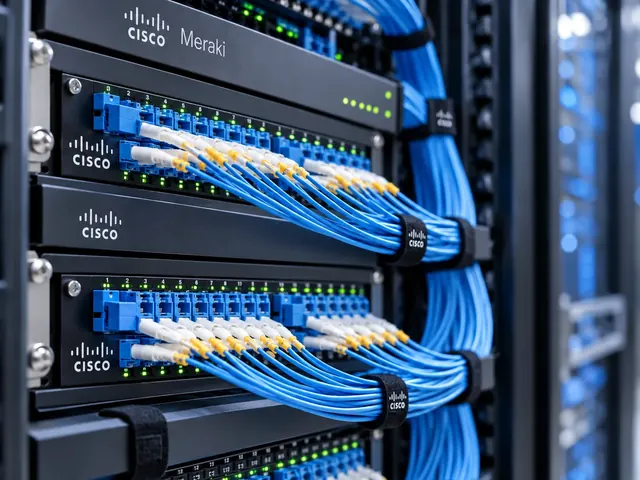
Network installation is the point where an approved design becomes a working service. MCI installs Cisco and Meraki networks with attention to the details that determine whether a site is genuinely ready: equipment placement, physical connections, configuration, management access and application testing. We work across the UK, including London, Kent, Sussex, Essex and Berkshire.
The scope can be a new office, an additional site or a defined extension to an existing estate. Installation is not simply connecting equipment and waiting for its status indicators to turn green. The delivered network needs to match the design and support the activities for which it was commissioned.
A clear requirement
Turn the business need into a practical network scope with visible dependencies.
A controlled delivery
Plan implementation, testing and rollback before production changes begin.
A supportable result
Leave useful records, ownership and escalation routes behind.
Make the site ready before the installation date
We establish what must be available before engineers attend. That can include cabinet space, suitable power, cabling, circuit handoffs, authorised access and the people needed to confirm application operation. A missing prerequisite can affect the whole installation window.
The equipment and licence position also needs checking. The correct device without the necessary optics, mounting equipment or supported software may not be ready for the intended role. We identify those dependencies before the work is scheduled rather than relying on a last-minute workaround.
Where the project is replacing a live network, network migration planning is a separate part of the scope. It addresses how existing services move and what happens if the change cannot be accepted.

Standards & partnerships
Confidence in the team behind your network.
 Cisco Partner
 Cisco Meraki
 Cyber Essentials
 Cyber Essentials Plus
MCI Network Services is operated by Proxar Ltd. Certifications apply to the certified legal entity and the scope of its certificates. View accreditation information
Prepare the configuration away from the live site
Staging and preconfiguration can reduce the amount of engineering that has to take place during the production window. Equipment can be checked, labelled and prepared against the accepted design before it is connected to the live environment.
Site-specific values remain controlled. Addressing, uplink details and management settings must match the intended location, particularly in a multi-site project. A standard build should make delivery more consistent without copying another site’s exceptions into the new installation.
For Meraki deployments, dashboard ownership and the correct organisation and network placement need to be established. For Cisco equipment, the build must reflect the relevant platform, software and licence assumptions in the design.

A useful starting point
Not sure where to start?
Bring the requirement. We will help you define the engineering work.
Install against an identifiable design baseline
Physical work follows the agreed cabinet, port and connection information. We check that the installed arrangement is maintainable as well as functional: labels should make sense, management access should be available and important connections should be identifiable.
The configuration is applied and checked against the design. Any difference discovered on site is treated as a decision to resolve, not an invitation to make undocumented changes. Some variations are straightforward; others affect security, resilience or the wider project and need the appropriate approval.
We coordinate dependencies with your team and other suppliers. Circuit activation, cabling work and application configuration may sit outside our installation scope while still being necessary for the final result.

Different environments. The same care.
Built around the work
your network supports.
Finance, banking and the wider private sector. We start with the systems and people that depend on your connections.
Finance & banking
Market-data paths, routing and provider coordination on clients’ behalf.
Financial-market services ↗Offices & multi-site teams
Reliable access between people, workplaces and business applications.
Office network design ↗Data centres & cloud
Network boundaries, workload connections and operational ownership.
Data centre networks ↗Test the service users will actually receive
Installation checks establish the physical and configuration state. Acceptance testing goes further by verifying representative user and application activity, access restrictions and the agreed recovery behaviour.
The tests should reflect the purpose of the site. An office may need wired access, wireless authentication, meeting-room connectivity and guest separation checked. A specialist network may require provider participation or application-owner confirmation before it can be accepted.
Results are recorded, including any exceptions. A network should not be declared complete because the installer has finished the equipment work when a critical business test remains outstanding.

Leave the receiving team with a supportable network
Handover includes the information needed to operate the delivered environment. That may include an updated inventory, connection records, configuration references, management details and the remaining issue list. Sensitive access information uses an appropriate handover route rather than a general project email.
The support position is made explicit. Installation does not automatically create an ongoing monitoring or incident-response agreement. Where you need continuing assistance, network support or managed operations can be defined around the equipment and responsibilities involved.
Costs depend on the scope, number of sites, physical work, preparation and testing required. Travel, maintenance windows and third-party dependencies are identified in the proposal so the installation is not priced as though every site is identical.

Installation questions
Can you install equipment we have already purchased?
Yes, subject to checking its suitability, ownership and support position. We confirm whether the supplied equipment and accessories match the design. Any missing prerequisite is identified before the installation is committed to a fixed execution window.
Can the work happen outside normal office hours?
It can be planned where the required engineering availability and site access are agreed. Application owners and other suppliers may also need to participate. An evening installation is not automatically lower risk if the people needed to validate it are unavailable.
Will users experience an interruption?
That depends on whether the work is a new installation or affects an existing service. The scope should identify expected disruption, sequencing and recovery arrangements. We do not treat installation as a promise of uninterrupted operation during a live change.
What is the first step?
Discuss a network installation with the site locations, intended outcome and target date. We can then establish the design position, readiness checks and delivery responsibilities needed for a dependable installation plan.
Talk to a specialist
What does your network need next?
Tell us what you are planning, changing or trying to improve. We will help define a practical next step and the engineering scope.
+44 203 196 6566Choose option 1
sales@proxar.co.ukUK-wide service.
Most of our engineers are based in Kent, with a focus on London, Sussex, Essex and Berkshire.
Existing customers should use their agreed support and escalation channels. This form is for service enquiries, not a monitored emergency ticket.
Tell us what you need.
A short outline is enough. Please do not include passwords or sensitive network details.
Thank you. Your enquiry has been submitted.
Please check your name, email and message, then try again.
Your form session expired. Please try again.
Please wait a minute before sending another enquiry.
We could not submit your enquiry. Please call or email us instead.