
Connect. Secure. Manage.
Meraki Camera Network Readiness
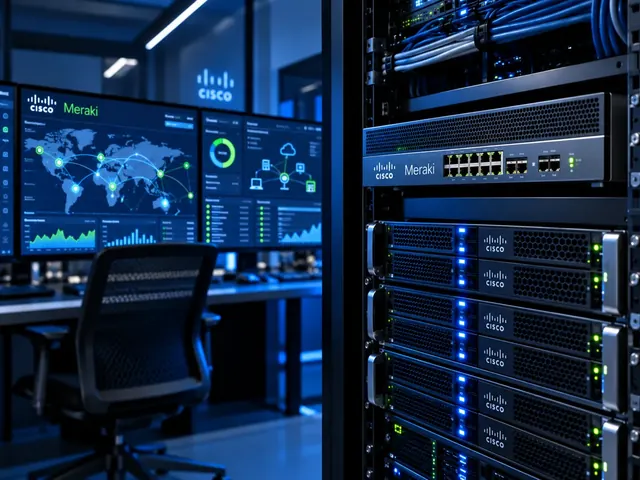
Prepare the network for Meraki camera deployments, covering power, connectivity, access boundaries and operational responsibilities rather than hardware sales.
Devices supported
across the UK
Client locations
supported
Traffic handled
at peak time
Average
response time
Average response is not a resolution time or a contractual guarantee. Support scope and response commitments are agreed for each engagement.
Meraki camera network readiness checks the network before you install or expand an MV camera system. We review switch ports, power, bandwidth and access with your teams. The findings show what needs work on the network side. Camera choice, scene coverage and surveillance policy remain separate decisions unless the scope includes the relevant specialists.
Dashboard clarity
Structure organisations, networks and permissions around real operational ownership.
Consistent sites
Use repeatable standards without ignoring the differences between locations.
Practical operations
Keep cloud management connected to physical links, users and business services.
Establish how the cameras will be used
The assessment records camera locations, intended viewing arrangements and the people responsible for the system. Routine local viewing, remote incident review, video walls and cloud-archive use can create different traffic patterns. We ask how operators will actually work rather than estimating the network solely from the number of cameras on a floor plan.
We also identify the required service hours and the consequences of losing network access or power. A camera that stores footage locally has different dependencies from a conventional design that continuously streams to a central recorder. But it still needs suitable management and viewing paths. The chosen model and enabled features must be checked before making assumptions about retention or operation during an outage.

Standards & partnerships
Confidence in the team behind your network.
 Cisco Partner
 Cisco Meraki
 Cyber Essentials
 Cyber Essentials Plus
MCI Network Services is operated by Proxar Ltd. Certifications apply to the certified legal entity and the scope of its certificates. View accreditation information
Check switching ports, cabling and power budgets
We inspect the available access ports, cable routes and power needs for the chosen cameras. The review includes the total switch budget and the behaviour after a power-supply or cabinet outage. Having enough PoE-labelled ports does not prove that every camera can be powered under the intended conditions, especially when other high-power endpoints share the switch.
Installation constraints are recorded with the relevant team. External cameras may involve environmental protection, mounting and specialist cable work. We check the network handoff and the duties for those tasks instead of allowing them to disappear between suppliers. A readiness report should state what must be completed before commissioning, including any physical testing or remedial cabling that affects reliable operation.

A useful starting point
Not sure where to start?
Bring the requirement. We will help you define the engineering work.
Assess bandwidth for the actual workflows
MV designs can use local storage, but viewing, exports and optional cloud services still create network demand. We identify where operators sit, which links they use and how many streams may be active together. A quiet camera estate can create a much larger traffic peak when several people investigate an incident or use a multi-camera display.
We compare those workflows with available LAN and WAN capacity. The analysis distinguishes ordinary management traffic from video-related transfers and identifies possible contention with other business apps. We do not apply one fixed bandwidth number to every camera model and recording setup. The final sizing assumptions should be traceable to the chosen features and the customer’s agreed use pattern.

Different environments. The same care.
Built around the work
your network supports.
Finance, banking and the wider private sector. We start with the systems and people that depend on your connections.
Finance & banking
Market-data paths, routing and provider coordination on clients’ behalf.
Financial-market services ↗Offices & multi-site teams
Reliable access between people, workplaces and business applications.
Office network design ↗Data centres & cloud
Network boundaries, workload connections and operational ownership.
Data centre networks ↗Define access and network boundaries
Cameras should not receive unnecessary access to corporate endpoints. We review their required management and service destinations and design suitable segmentation. We also identify how authorised viewing clients reach the service and whether current security controls affect that path. A network boundary that blocks an approved viewing workflow can be just as operationally problematic as an unnecessarily permissive one.
Administrative and viewing permissions are considered separately. The physical-security team may need access to footage without permission to change the wider network. We document the intended roles and account ownership, including external support access. Shared administrator credentials are not a good substitute for a clear permission model, particularly where the information visible through the camera system is sensitive.

Agree privacy and operational responsibilities
The customer determines the surveillance purpose, permitted viewing, retention and relevant notices through its responsible teams. MCI supplies technical information about network access and the configured features to support those decisions. We do not treat a product’s available privacy controls as evidence that the customer’s particular rollout has automatically met every need.
The readiness review also identifies who responds to camera or network faults. Facilities, IT, security and the camera installer may each have a role. We agree how a loss of visibility is reported and how engineers distinguish a network problem from a camera, storage or operator-access issue. This reduces the time spent passing an incident between teams without a shared technical baseline.

Define commissioning evidence before installation
The acceptance plan includes power, management reachability, authorised viewing and representative export or archive workflows where used. We identify safe failure checks and record limitations. A camera appearing online is not enough proof that the operator can retrieve the information required during an incident. So the actual operational tasks must be shown.
MCI can follow the readiness assessment with network setup and commissioning support, or provide the findings to your installation contractor. Our wider Cisco networks for CCTV service covers networking for other agreed camera architectures. The deliverable identifies required changes, owners and test criteria, giving the customer a clear route from a proposed camera layout to a supportable network service.

Technical references
- MV smart camera frequently asked questions — Cisco / Cisco Meraki
- Best practices for viewing MV video — Cisco / Cisco Meraki
Talk to a specialist
What does your network need next?
Tell us what you are planning, changing or trying to improve. We will help define a practical next step and the engineering scope.
+44 203 196 6566Choose option 1
sales@proxar.co.ukUK-wide service.
Most of our engineers are based in Kent, with a focus on London, Sussex, Essex and Berkshire.
Existing customers should use their agreed support and escalation channels. This form is for service enquiries, not a monitored emergency ticket.
Tell us what you need.
A short outline is enough. Please do not include passwords or sensitive network details.
Thank you. Your enquiry has been submitted.
Please check your name, email and message, then try again.
Your form session expired. Please try again.
Please wait a minute before sending another enquiry.
We could not submit your enquiry. Please call or email us instead.