
Connect. Secure. Manage.
Meraki Network Alerting
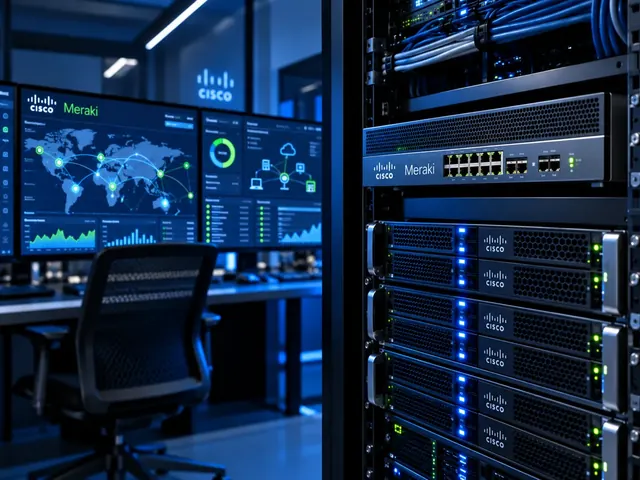
Configure Meraki network alerts and integrations around actionable failures, with sensible thresholds, ownership and a tested escalation route.
Devices supported
across the UK
Client locations
supported
Traffic handled
at peak time
Average
response time
Average response is not a resolution time or a contractual guarantee. Support scope and response commitments are agreed for each engagement.
Meraki network alerting sends an important event to the person or system expected to act. We choose supported alerts around your devices and working process, then test delivery. The scope distinguishes spotting a fault from investigating and fixing it. Too many messages can hide the event that needs prompt attention.
Useful visibility
Monitor service-relevant conditions rather than collecting alerts without ownership.
Controlled change
Keep maintenance, automation and configuration work reviewable and recoverable.
Clear escalation
Connect incidents to the right engineering, provider and business contacts.
Identify the events that matter
We review the sites, devices, uplinks, VPNs and other supported conditions relevant to the service. Different Meraki product families expose different alert options. So the setup is checked against the actual estate. A standard template is a starting point, not proof that every important failure mode is covered.
Events are linked to business impact and resilience. A branch remaining online through a backup connection may still need prompt attention, while an expected access-port change may not require an incident. We set out useful severity and ownership rather than relying entirely on the default label attached to a notification.

Standards & partnerships
Confidence in the team behind your network.
 Cisco Partner
 Cisco Meraki
 Cyber Essentials
 Cyber Essentials Plus
MCI Network Services is operated by Proxar Ltd. Certifications apply to the certified legal entity and the scope of its certificates. View accreditation information
Review recipients and operational roles
Alert recipients should reflect the current support arrangement, including internal teams and any managed-service provider. Personal email addresses and outdated supplier contacts can leave the estate dependent on someone who no longer handles incidents. We establish shared operational destinations and appropriate escalation routes where the customer’s process supports them.
We review admin rights separately from who receives alerts. Someone may need a notification without needing broad control of Dashboard. Routine status checks should not require excessive rights. The service records name who can change alert settings and who must approve a significant change to coverage.

A useful starting point
Tell us what is happening.
A short description of the problem is enough for an initial discussion.
Integrate webhooks carefully
Supported webhook delivery can connect Meraki events to ticketing or other operational systems. We check the receiver, HTTPS setup, payload handling and the available shared-secret validation. A receiver must actually check the supplied validation value; merely configuring one in the dashboard does not prove that incoming requests are authenticated by the integration.
We also examine duplicate handling, failures and the information placed in a ticket. A webhook arriving successfully does not prove that it has been assigned to the right customer, site or priority. Tests follow the event through the receiving workflow and identify what happens when the destination is unavailable.

Different environments. The same care.
Built around the work
your network supports.
Finance, banking and the wider private sector. We start with the systems and people that depend on your connections.
Finance & banking
Market-data paths, routing and provider coordination on clients’ behalf.
Financial-market services ↗Offices & multi-site teams
Reliable access between people, workplaces and business applications.
Office network design ↗Data centres & cloud
Network boundaries, workload connections and operational ownership.
Data centre networks ↗Tune thresholds and notification behaviour
Alert settings are chosen according to the site’s normal behaviour and support priorities. We review how transient conditions, repeated events and recovery messages are handled. A poorly tuned alert can repeatedly interrupt operators without providing enough evidence to distinguish a genuine fault from an expected change.
Noise reduction must not hide important failures. We document exclusions, maintenance treatment and any conditions that remain visible only in the dashboard. The customer should understand those limitations rather than assuming that every relevant event will create an external notification.

Include cloud and local dependencies
Dashboard information depends on the platform’s view of the devices and their network access. We distinguish an event affecting management visibility from proof that every local service has stopped. Equally, a device being reachable by the dashboard does not prove that a particular user app or identity service is working.
Where necessary, alerting is supplemented with other approved checks. The design explains which observations come from Meraki and which depend on external monitoring. This creates a more complete operating picture without overstating what one notification source can show.

Test delivery and response ownership
Acceptance includes representative alerts, recovery messages and relevant integration failures where they can be tested safely. We confirm recipients, timestamps, site identity and ticket assignment. The exercise should reveal whether the receiving team has enough context to begin useful triage rather than merely proving that an email appears.
The response process is agreed separately. Setting up an alert does not promise an engineer will act at once, day or night. The service records state the monitoring hours, initial checks, escalation route and customer approvals. Those terms should match the service you expect to receive.

Maintain the alerting configuration
New sites, device replacements, administrator changes and product updates can affect alert coverage. We set out a review process and keep a record of significant settings and exceptions. Periodic tests help identify a notification route that has quietly stopped working after an unrelated system change.
MCI can configure alerting as part of managed Meraki networks or improve a standalone rollout. The result is a documented and tested path from meaningful Meraki events to accountable action, with security, coverage and response limitations visible rather than hidden behind an enabled notification checkbox.
Talk to a specialist
Need a specialist view?
Tell us what is affected, what changed and what your team has already checked. A short outline is enough to start.
+44 203 196 6566Choose option 1
sales@proxar.co.ukUK-wide service.
Most of our engineers are based in Kent, with a focus on London, Sussex, Essex and Berkshire.
Existing customers should use their agreed support and escalation channels. This form is for service enquiries, not a monitored emergency ticket.
Tell us what you need.
A short outline is enough. Please do not include passwords or sensitive network details.
Thank you. Your enquiry has been submitted.
Please check your name, email and message, then try again.
Your form session expired. Please try again.
Please wait a minute before sending another enquiry.
We could not submit your enquiry. Please call or email us instead.