
Connect. Secure. Manage.
Meraki Bonjour Forwarding
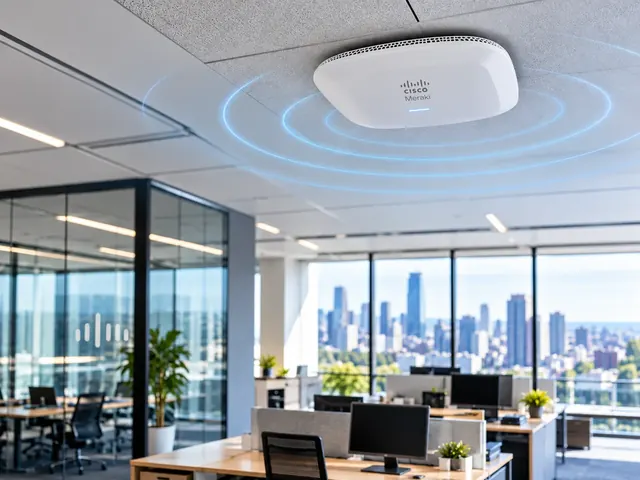
Configure Meraki Bonjour forwarding for service discovery, controlling which VLANs and device groups can find printers or presentation systems.
Devices supported
across the UK
Client locations
supported
Traffic handled
at peak time
Average
response time
Average response is not a resolution time or a contractual guarantee. Support scope and response commitments are agreed for each engagement.
Meraki Bonjour forwarding helps approved users find services such as printers across selected network boundaries. We plan discovery without opening more access than the business needs. Finding a service and using it are separate checks. Routes, firewall rules and the app must still allow the connection after it appears in the discovery list.
Coverage and capacity
Design Wi-Fi around the spaces, devices and traffic that depend on it.
Secure access
Align authentication, segmentation and guest access with the wider network.
Measured performance
Validate roaming, interference and user experience instead of relying on signal bars.
Identify the services and users that should meet
We start with the practical workflow: who needs to find which device, in which room or part of the site, and for what purpose. A staff printer, a visitor presentation screen and a shared media service may need different treatment. The design should reflect those use cases rather than broadcast every available service to every wireless user.
We record the service types, endpoint locations and network segments involved. Device names and ownership matter because a discovery result that contains several indistinguishable screens can be confusing even when the network technically works. The customer’s app or workplace team should confirm the intended user experience, while the network design establishes the controlled path that supports it.

Standards & partnerships
Confidence in the team behind your network.
 Cisco Partner
 Cisco Meraki
 Cyber Essentials
 Cyber Essentials Plus
MCI Network Services is operated by Proxar Ltd. Certifications apply to the certified legal entity and the scope of its certificates. View accreditation information
Separate discovery from application traffic
Bonjour uses multicast DNS for service discovery, which normally has local-network scope. Supported forwarding features can make chosen services discoverable across defined boundaries. We assess the actual Meraki product, mode and topology before configuring the feature, because wireless and security-appliance implementations have different needs and should not be assumed interchangeable.
The app session may use extra protocols after discovery succeeds. We identify those flows and check the required routing and access policy. This avoids a common outcome where a printer or presentation device appears in the user interface but cannot be used. Opening broader firewall access without understanding the actual service is not the preferred troubleshooting method.

A useful starting point
Not sure where to start?
Bring the requirement. We will help you define the engineering work.
Review VLANs, forwarding mode and isolation
The design maps the client and service networks, including whether the wireless SSID uses a supported bridge, NAT or tunnel arrangement. We inspect VLAN tagging, gateway placement and relevant isolation controls. The combination matters: a feature intended to prevent client communication may affect discovery or use in ways that differ between same-segment and cross-segment devices.
We also check whether another part of the network already forwards or gateways the same discovery traffic. Multiple overlapping mechanisms can create confusing behaviour or unnecessary distribution. The proposed setup identifies a clear owner for discovery across each boundary and avoids layering another feature on top of a current service without understanding how they interact.

Different environments. The same care.
Built around the work
your network supports.
Finance, banking and the wider private sector. We start with the systems and people that depend on your connections.
Finance & banking
Market-data paths, routing and provider coordination on clients’ behalf.
Financial-market services ↗Offices & multi-site teams
Reliable access between people, workplaces and business applications.
Office network design ↗Data centres & cloud
Network boundaries, workload connections and operational ownership.
Data centre networks ↗Limit the scope to useful discovery
We select the service categories and network relationships required by the business, subject to supported platform controls. The goal is to make approved resources available without turning a guest or staff network into a catalogue of every device on the premises. Where a requested room-specific or identity-specific behaviour is not supported by the chosen mechanism, that limitation is explained rather than implied away.
Security policy remains separate. Discoverability does not grant authority to administer a device or access unrelated services on it. We set out the permitted app paths and test blocked destinations as well. This preserves the purpose of segmentation while allowing the specific convenience the customer needs, rather than treating service discovery as justification for broadly merging two networks.

Troubleshoot the stages in order
When a service is missing, we first confirm that it is advertising correctly and can be used from an appropriate local test client. We then inspect the forwarding scope and client behaviour. This helps distinguish a network discovery problem from a sleeping device, an app setup issue or a service that is not available on the expected interface.
When discovery works but use fails, the investigation moves to addressing, routing, policy and app logs. We use controlled tests and authorised captures where necessary, collecting only the information needed. The report identifies which stage failed and the evidence for the correction, avoiding a sequence of broad changes that makes the service work temporarily without explaining why.

Validate the user experience and maintain the rules
Acceptance uses representative clients and the actual resources users need. We check that approved devices are discoverable and usable, while unrelated resources remain outside the intended scope. Where users move between areas or change network roles, those workflows are tested if they form part of the need. The result is documented with the relevant product and setup conditions.
MCI provides this work within Meraki wireless services and wider network integration. The handover records the service inventory, forwarding rules, app allowances and ownership. New printers or presentation systems can then be added through a controlled process instead of expanding discovery indiscriminately whenever someone reports that a device is missing from a menu.
Technical references
- Bonjour forwarding — Cisco / Cisco Meraki
- Wireless client isolation — Cisco / Cisco Meraki
Talk to a specialist
What does your network need next?
Tell us what you are planning, changing or trying to improve. We will help define a practical next step and the engineering scope.
+44 203 196 6566Choose option 1
sales@proxar.co.ukUK-wide service.
Most of our engineers are based in Kent, with a focus on London, Sussex, Essex and Berkshire.
Existing customers should use their agreed support and escalation channels. This form is for service enquiries, not a monitored emergency ticket.
Tell us what you need.
A short outline is enough. Please do not include passwords or sensitive network details.
Thank you. Your enquiry has been submitted.
Please check your name, email and message, then try again.
Your form session expired. Please try again.
Please wait a minute before sending another enquiry.
We could not submit your enquiry. Please call or email us instead.