
Connect. Secure. Manage.
Catalyst Cloud Configuration
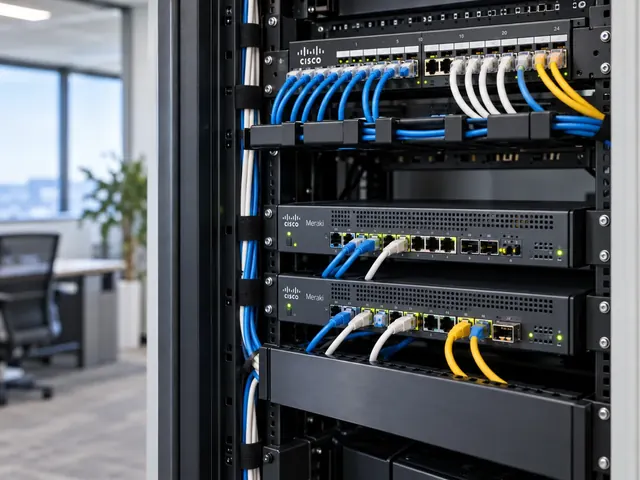
Onboard supported Catalyst switches for cloud configuration in Meraki dashboard, checking feature fit, licensing and the change in configuration ownership.
Devices supported
across the UK
Client locations
supported
Traffic handled
at peak time
Average
response time
Average response is not a resolution time or a contractual guarantee. Support scope and response commitments are agreed for each engagement.
Catalyst cloud configuration lets eligible Cisco switches use a Dashboard-led setup. We check that the features and change workflows you need are supported before a move. The plan makes clear which system controls the settings. Cloud configuration and device configuration are distinct modes, so engineers need to understand how their work will change.
Dashboard clarity
Structure organisations, networks and permissions around real operational ownership.
Consistent sites
Use repeatable standards without ignoring the differences between locations.
Practical operations
Keep cloud management connected to physical links, users and business services.
Establish the intended operating model
A customer may want consistent branch administration, easier visibility across sites or a reduction in locally maintained settings. We identify that aim before considering conversion. Existing routing, segmentation, authentication and monitoring needs are recorded as acceptance criteria. A management change should preserve essential business functions or clearly identify the redesign needed to deliver them through the new model.
The distinction from Catalyst Device Configuration is central. In a cloud-configured rollout, dashboard workflows are the primary setup approach for supported functionality. Device setup retains a different relationship with local IOS XE management. We explain the supported diagnostic and command-line access for the chosen mode without assuming that tools available in one mode have identical permissions or behaviour in another.

Standards & partnerships
Confidence in the team behind your network.
 Cisco Partner
 Cisco Meraki
 Cyber Essentials
 Cyber Essentials Plus
MCI Network Services is operated by Proxar Ltd. Certifications apply to the certified legal entity and the scope of its certificates. View accreditation information
Check the exact hardware and software combination
Eligibility depends on the Catalyst model, software state, licensing and the supported migration path. We inspect the actual devices rather than rely on a product-family name. Stacks, uplink modules and current feature use can affect the rollout. A capability advertised for one supported model or release must not be treated as universal across an inherited Catalyst estate.
The assessment produces a feature comparison. We distinguish required services from settings that exist only because an old template included them. Unsupported needs may justify retaining another management model, changing the design or excluding particular devices from the transition. The decision should be made before conversion, when the customer can still compare the operational benefit with the cost and disruption of change.

A useful starting point
Not sure where to start?
Bring the requirement. We will help you define the engineering work.
Prepare ownership and management connectivity
We check the destination organisation, network, admin access and the required entitlement. The device needs a reliable path to the cloud-management services, with addressing and upstream controls arranged according to current documentation. This path is reviewed separately from user traffic so that the project does not accidentally depend on the very gateway being reconfigured during the migration.
Customer ownership must remain clear. We record who can administer the dashboard, who manages identity integration and how access is recovered if the normal sign-in route fails. Where an external provider currently controls the devices, the transition requires its cooperation or a supported ownership-resolution process. Technical conversion should not proceed while the organisation’s right to manage the equipment remains uncertain.

Different environments. The same care.
Built around the work
your network supports.
Finance, banking and the wider private sector. We start with the systems and people that depend on your connections.
Finance & banking
Market-data paths, routing and provider coordination on clients’ behalf.
Financial-market services ↗Offices & multi-site teams
Reliable access between people, workplaces and business applications.
Office network design ↗Data centres & cloud
Network boundaries, workload connections and operational ownership.
Data centre networks ↗Translate the configuration deliberately
A current command-line setup is not assumed to become an equivalent dashboard setup automatically. We map VLANs, ports, uplinks, routed interfaces and security dependencies to the supported destination workflow. Settings that cannot be carried across directly are identified for redesign or manual reconstruction. The mapping is reviewed with the team responsible for the connected apps and upstream network.
We capture setup evidence and recovery needs before any disruptive step. The plan states the expected interruption, software changes and practical rollback boundary. A conversion may require more than reversing one setting, so recovery must be based on the documented process for the specific device and mode. A lab or pilot rollout is used where it materially reduces uncertainty for a wider rollout.

Validate management and forwarding separately
After onboarding, we confirm the device’s identity, setup source, software state and dashboard access. We check that authorised engineers can perform the intended routine tasks and collect the diagnostics they need. A device appearing online is not enough if the support team cannot inspect a critical interface or understand which tool should be used to change a setting.
Forwarding tests then cover the agreed services: endpoint network access, VLAN paths, routing, authentication and resilience where included. We compare observed behaviour with the original feature assessment. Any exception is recorded with its operational consequence. The acceptance record should show that the new management model supports the customer’s network, rather than merely proving that registration succeeded.

Plan operation after conversion
The handover describes change ownership, setup standards, software maintenance and fault escalation. We remove or retire obsolete management arrangements only after confirming they are no longer required, preserving appropriate records. Our Meraki cloud switching service can combine assessment, rollout and ongoing assistance under a defined scope. MCI’s recommendation may be a selective transition rather than converting every switch. The right outcome is a supportable estate, not a uniform dashboard at the expense of required functionality.

Technical references
- Cloud management with IOS XE overview — Cisco / Cisco Meraki
- Cloud CLI for cloud-managed IOS XE switches — Cisco / Cisco Meraki
Talk to a specialist
What does your network need next?
Tell us what you are planning, changing or trying to improve. We will help define a practical next step and the engineering scope.
+44 203 196 6566Choose option 1
sales@proxar.co.ukUK-wide service.
Most of our engineers are based in Kent, with a focus on London, Sussex, Essex and Berkshire.
Existing customers should use their agreed support and escalation channels. This form is for service enquiries, not a monitored emergency ticket.
Tell us what you need.
A short outline is enough. Please do not include passwords or sensitive network details.
Thank you. Your enquiry has been submitted.
Please check your name, email and message, then try again.
Your form session expired. Please try again.
Please wait a minute before sending another enquiry.
We could not submit your enquiry. Please call or email us instead.